One ladder. The cheapest rung that is still adequate.
Pick a prompt to see how a route works. These are examples, not live output. Code sets a floor for risky work, and the judge never lowers it.
Security and migration. Code sets a floor, the judge cannot lower it, and changed code gets an Opus review.
Big jobs get a real workflow
Open-ended work runs through six small agents. Code, not a model, sets the risk band and decides pass or fail from exit codes.
Risk band
Sets S0 to S3. The band only goes up.
Discover
Finds files, interfaces and tests.
Plan
Workstreams, criteria and risks.
Build + verify
Runs the commands. Exit codes decide.
Review
Mandatory for risky work and failed checks.
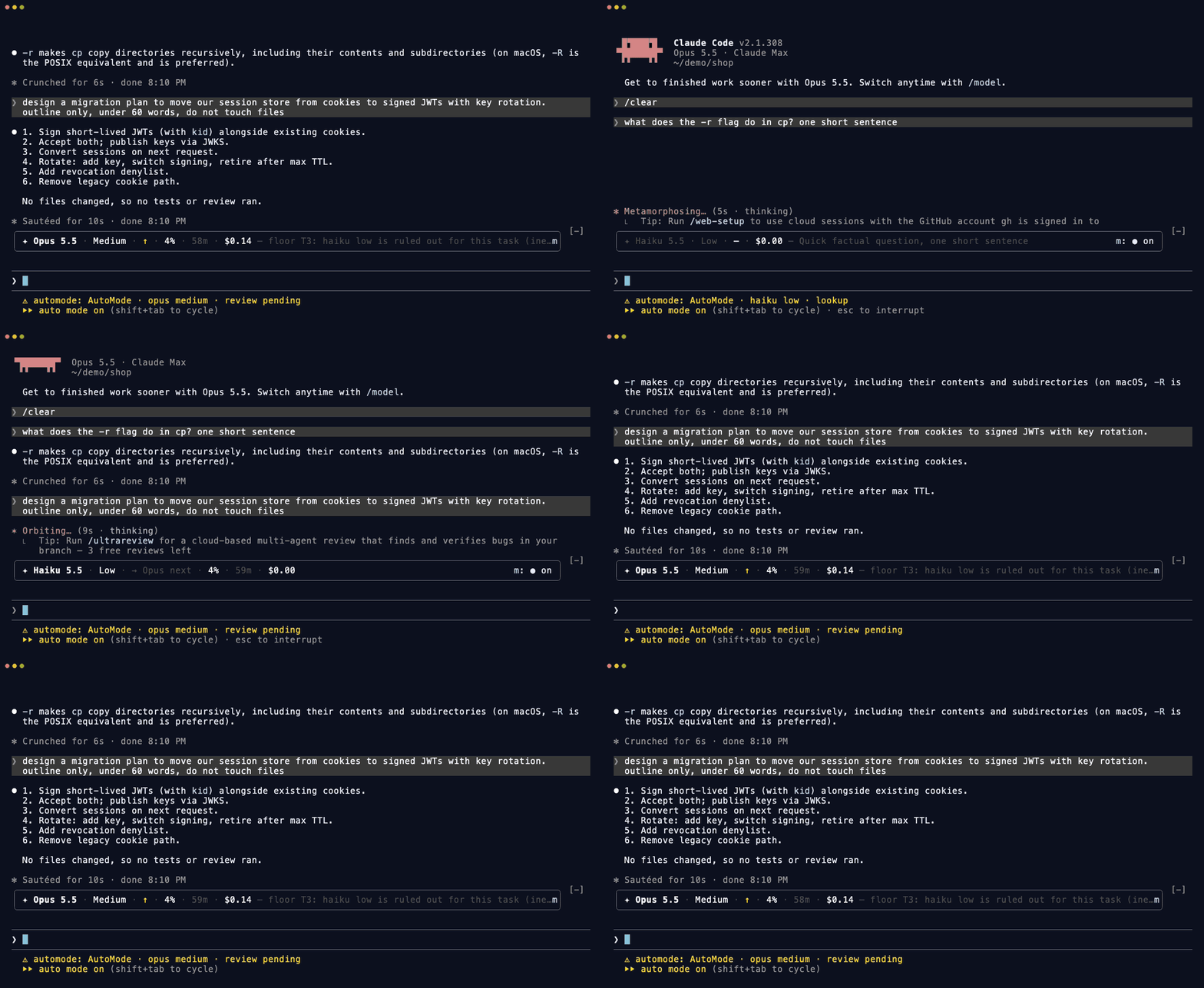
See a real session
Recorded on Claude Code 2.1.308, sped up 1.6 times.
Read it before you run it
A mod runs with your permissions, and AutoMode sees every prompt and tool call, because that is how routing works. So all of it is open.
What leaves your machine
No telemetry and no network code of its own. Judge and compaction calls go through Claude Code, on your own login.
What it stores
Local files in its own data folder, with retention limits. Read PRIVACY.md.
What it can do
Run claude plugin validate on a clone to list every hook and API call. See the table.
How it compares
AutoMode builds on these projects: its effort rules come from effortless, and its classifier contract and switch payback from claude-router and jev-router. Each row is from the project's own README on 2026-10-30.
| Feature | AutoMode | effortless | jev-router | claude-router |
|---|---|---|---|---|
| Model per prompt | On by default | Off by default, experimental | Yes | Yes |
| Effort per prompt | Yes | Yes | Not described | Yes |
| Multi-stage workflow | Plan, build, verify, review | Not described | Not described | Not described |
| Mandatory review for risky work | Yes, Opus | Not described | Not described | Not described |
| Extra credential | None | None. A Jev key is optional | Jev key | Depends on the classifier |
| Published cost result | No | Yes. 21% less than Opus medium, with limits | None found | "Savings are not measured" |
We will not quote a saving until a public benchmark produces one. Read the full comparison.
Questions people ask
What is AutoMode?
AutoMode is a free, open source plugin for Claude Code. It picks the model and the effort for each prompt, sets a quality floor for risky work, and runs a plan, build, verify and review workflow for big jobs.
Is AutoMode the same as Claude Code auto mode?
No. Claude Code auto mode is a built-in permission mode from Anthropic. It decides whether an action runs without asking you. AutoMode is a community plugin that picks the model and effort. Read the full difference.
How do I stop switching Claude Code models by hand?
Install a model router such as AutoMode. It chooses Haiku, Sonnet or Opus for each prompt, so you do not touch the model picker. You can still override any prompt with am:opus or am:haiku. See how a route is decided.
Does AutoMode need an API key?
No. AutoMode runs on the Claude login you already have. There is no key, no server and no account to make.
Does AutoMode save money?
We do not know yet. AutoMode has no published cost result, so we quote no saving. A model switch in a warm chat can also cost more, so AutoMode checks each switch first. Read about the prompt cache.
Does AutoMode send my prompts anywhere?
AutoMode has no telemetry and no network code of its own. Judge and compaction calls go through Claude Code, on your own login. It stores local files in its own data folder.
Does AutoMode work in VS Code?
Yes. Routing runs in the VS Code extension. Claude Code does not draw the bar there, so use the /automode command for the same facts.
How does AutoMode compare with other routers?
AutoMode adds risk floors and a review workflow, and it needs no key. Others are ahead in places: effortless has a published cost result, and jev-router also runs on Codex. Compare Claude Code routers.
Stop touching the model picker
Two commands, one reload, and it starts on its own.
/plugin marketplace add mralexivy/AutoMode/plugin install automode@automode